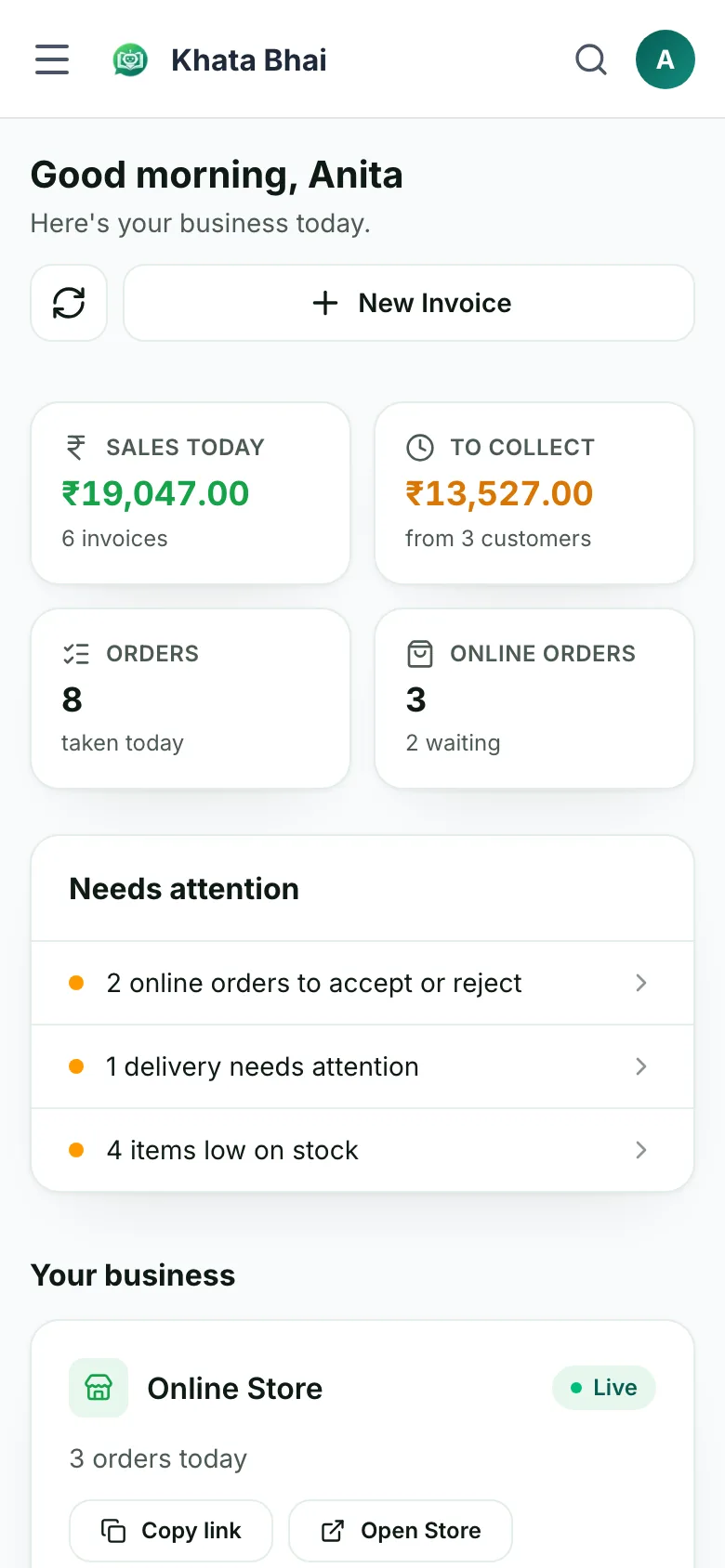
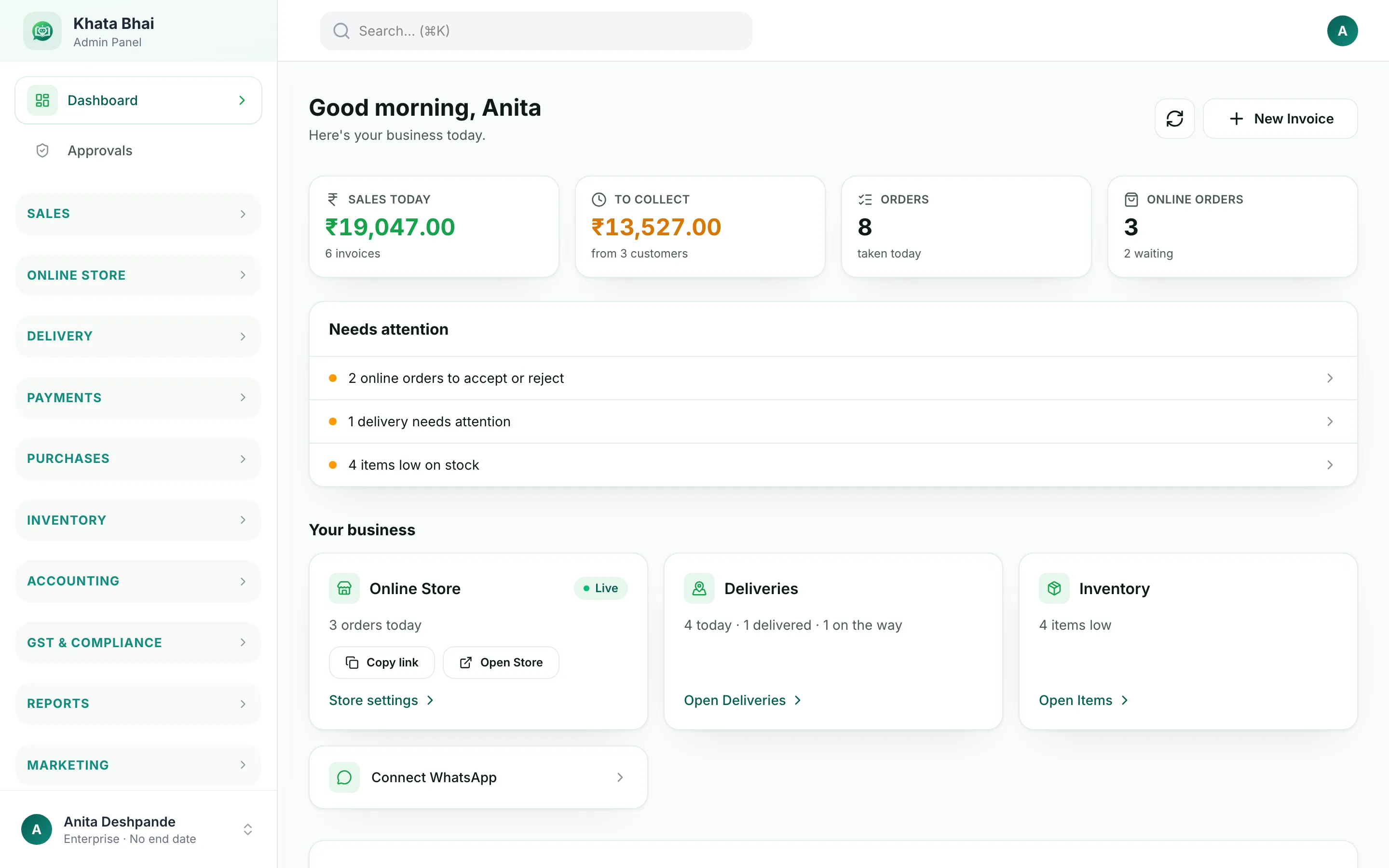
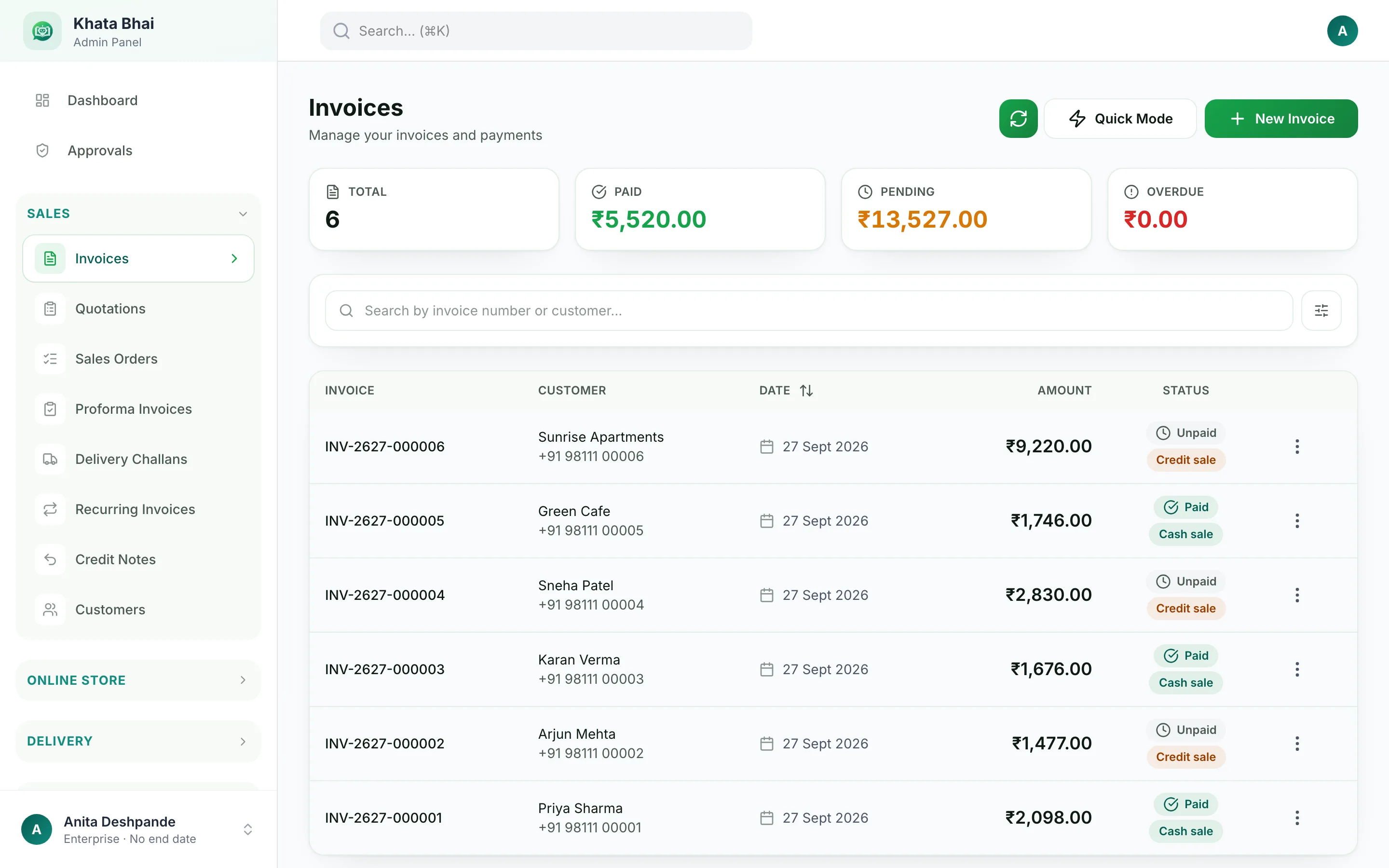
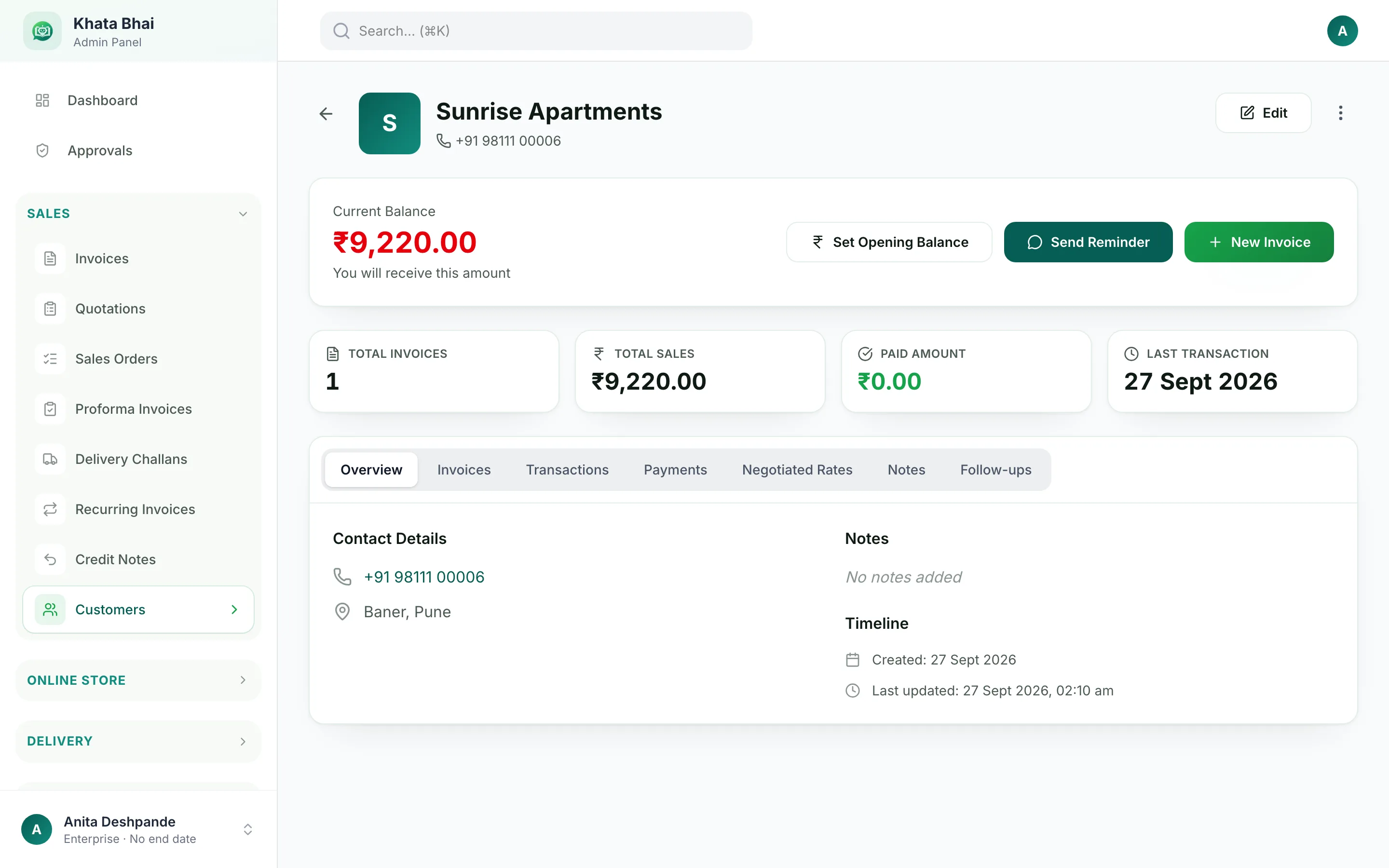
Everything stays connected. An order becomes an invoice, the invoice moves stock, the payment clears the customer's dues and your reports are already up to date.
1
Customer
Saved once, with their history and dues
2
Order
From your store, a salesman or WhatsApp
3
Invoice
GST invoice, shared as a PDF on WhatsApp
4
Stock
Goes down with every sale
5
Purchase
Comes back up when goods arrive
6
Delivery
Driver, route and tracking link
7
Payment
Marked against the invoice and the customer
8
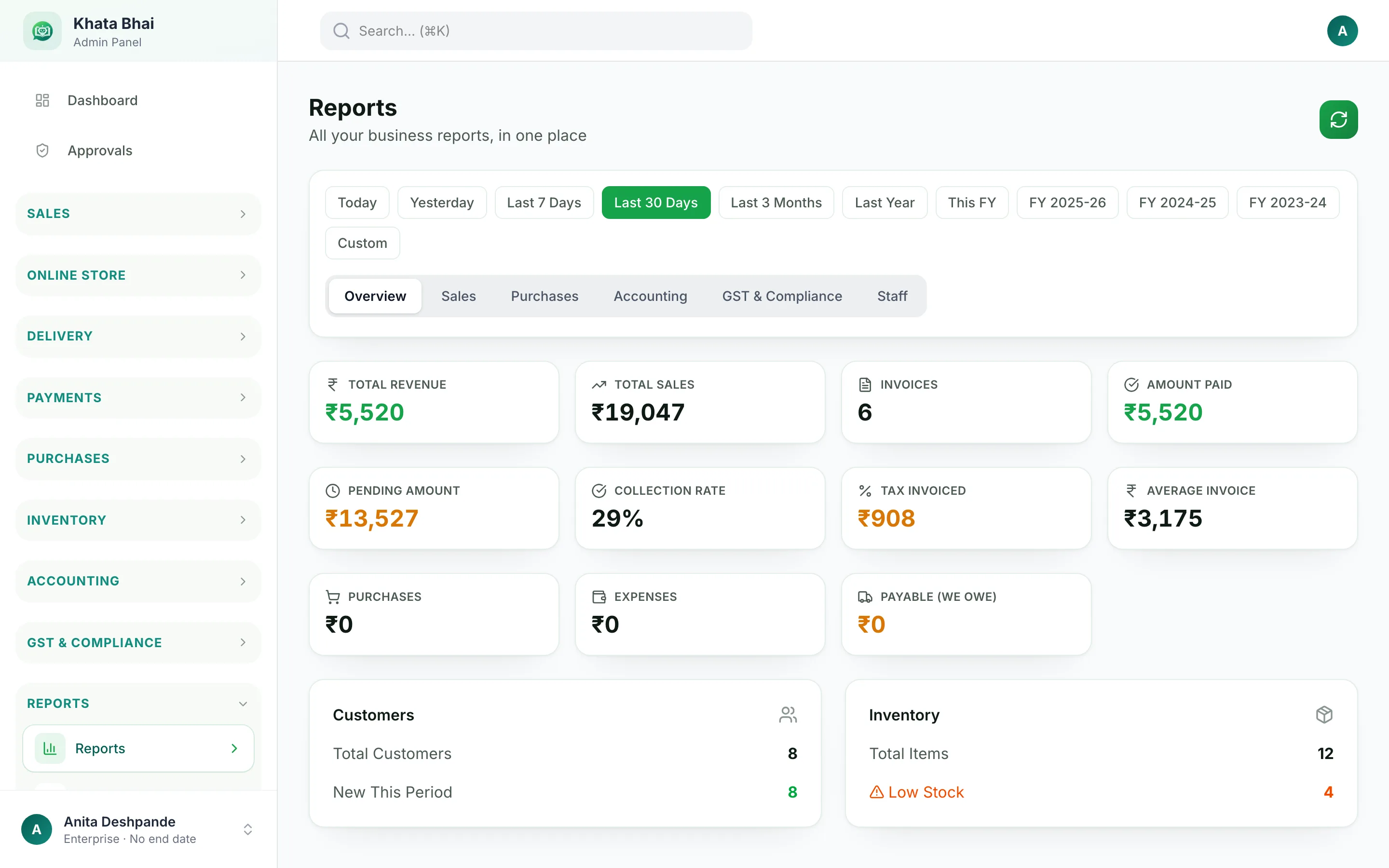
Reports
Sales, dues, profit and GST, always current
WhatsApp works on the same records.
An invoice made by message, a payment noted on the go or a stock check from the road lands in exactly the same place as the web and the app. Nothing to sync.
Everything your team needs.
Start with the part you need today. The rest is already there when you're ready.
Sell
Billing is the fast way to start selling.
Create an invoice from the web, the app or WhatsApp. The customer, the stock and the payment update with it, so nothing needs entering twice.
GST invoices, shared as a PDF on WhatsApp
Quotations, Sales Orders, Delivery Challans and Credit Notes
Recurring invoices for customers you bill every month
Full or part payments, in cash, UPI, bank or cheque
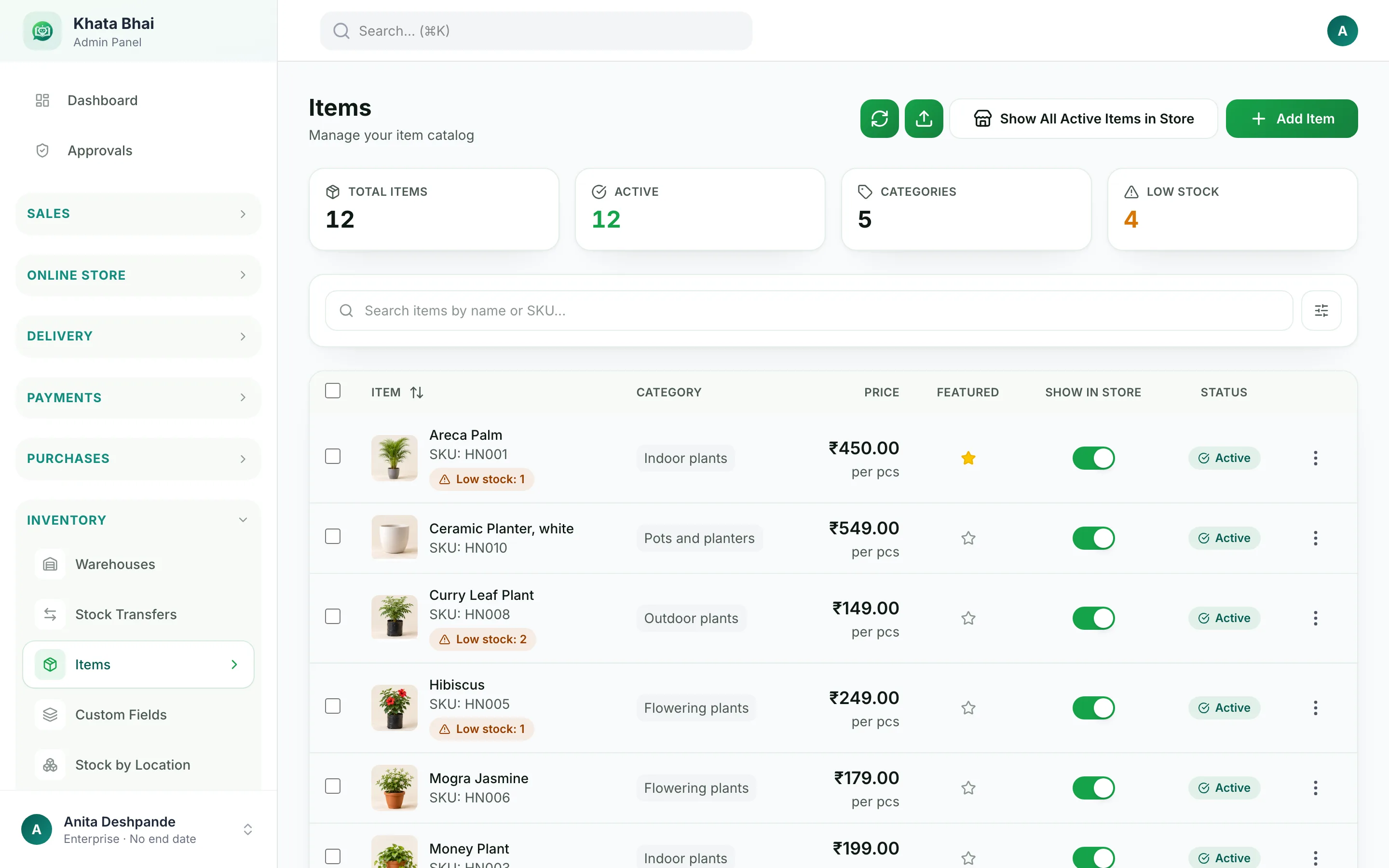
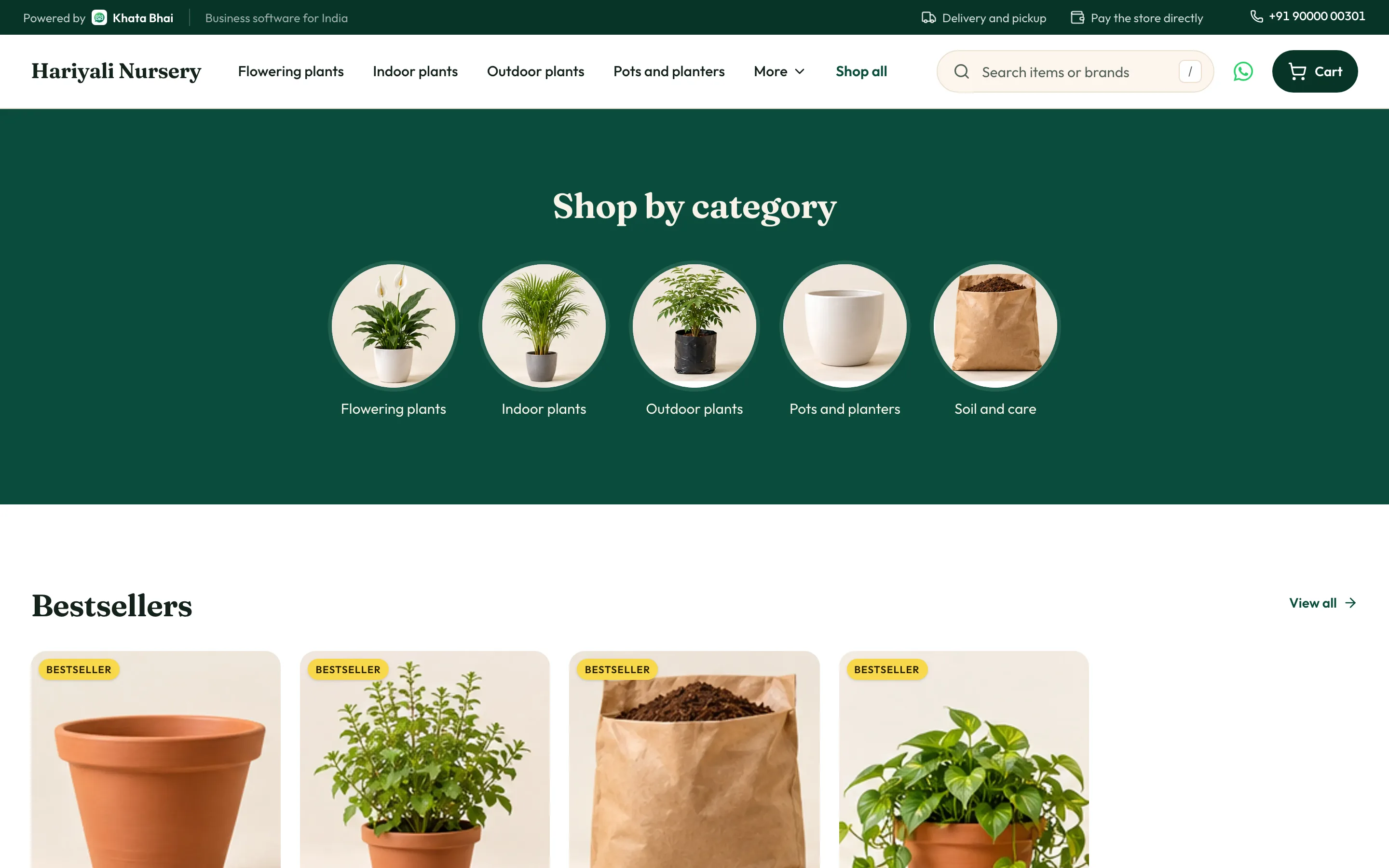
Your items are already in KhataBhai, so your store is too. Pick a design, share one link, and every order reaches you as a Sales Order to accept and invoice.
khatabhai.com/shop/hariyali-nursery
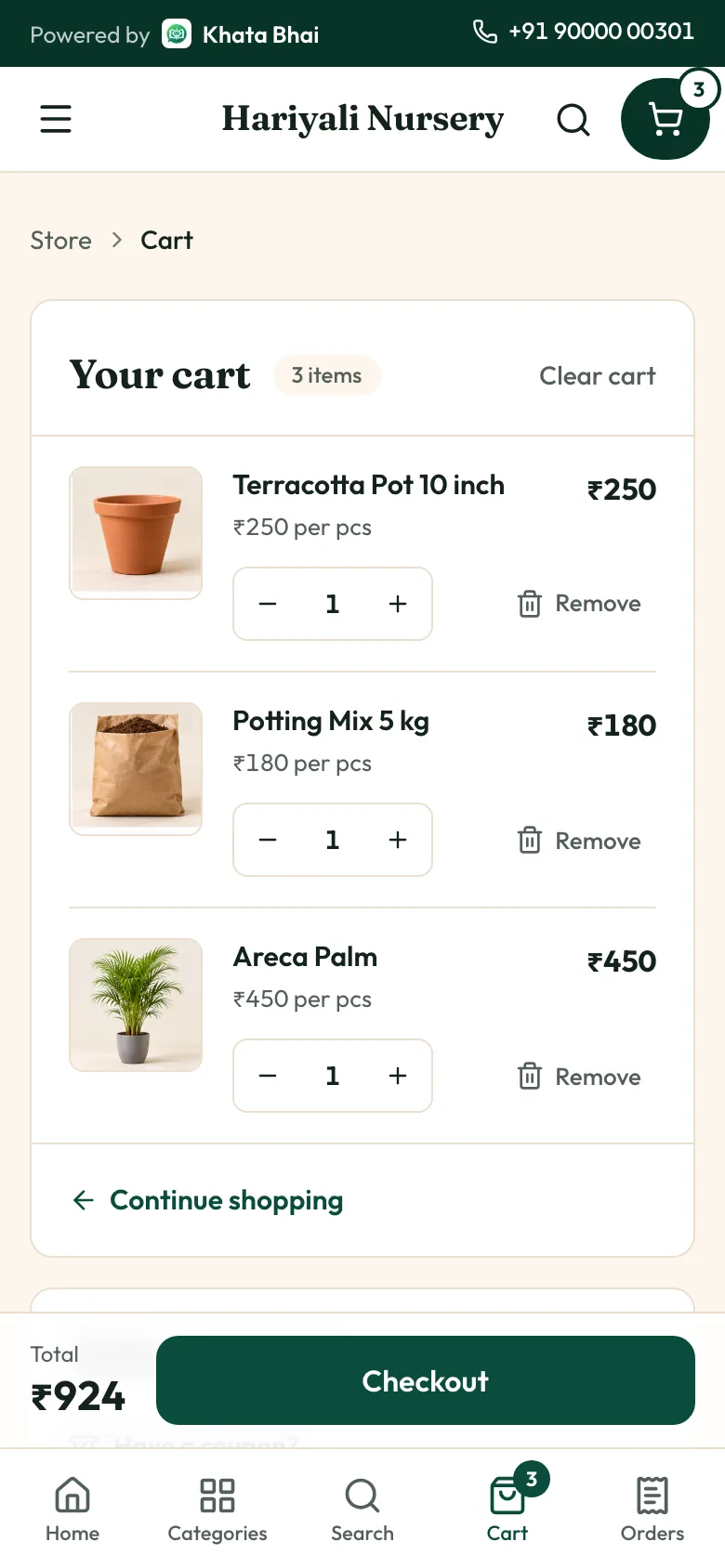
Real KhataBhai store screens with a demo nursery.
Customer orders from your link
You accept on WhatsApp or the app
Deliver or hand over at pickup
Record the payment
What your customers get
Up to 8 photos for every item
Sizes and add-ons, like a planter with a plant
Coupons at checkout
Delivery or pickup, whichever you offer
A code on WhatsApp to confirm their number
A WhatsApp message with their order details
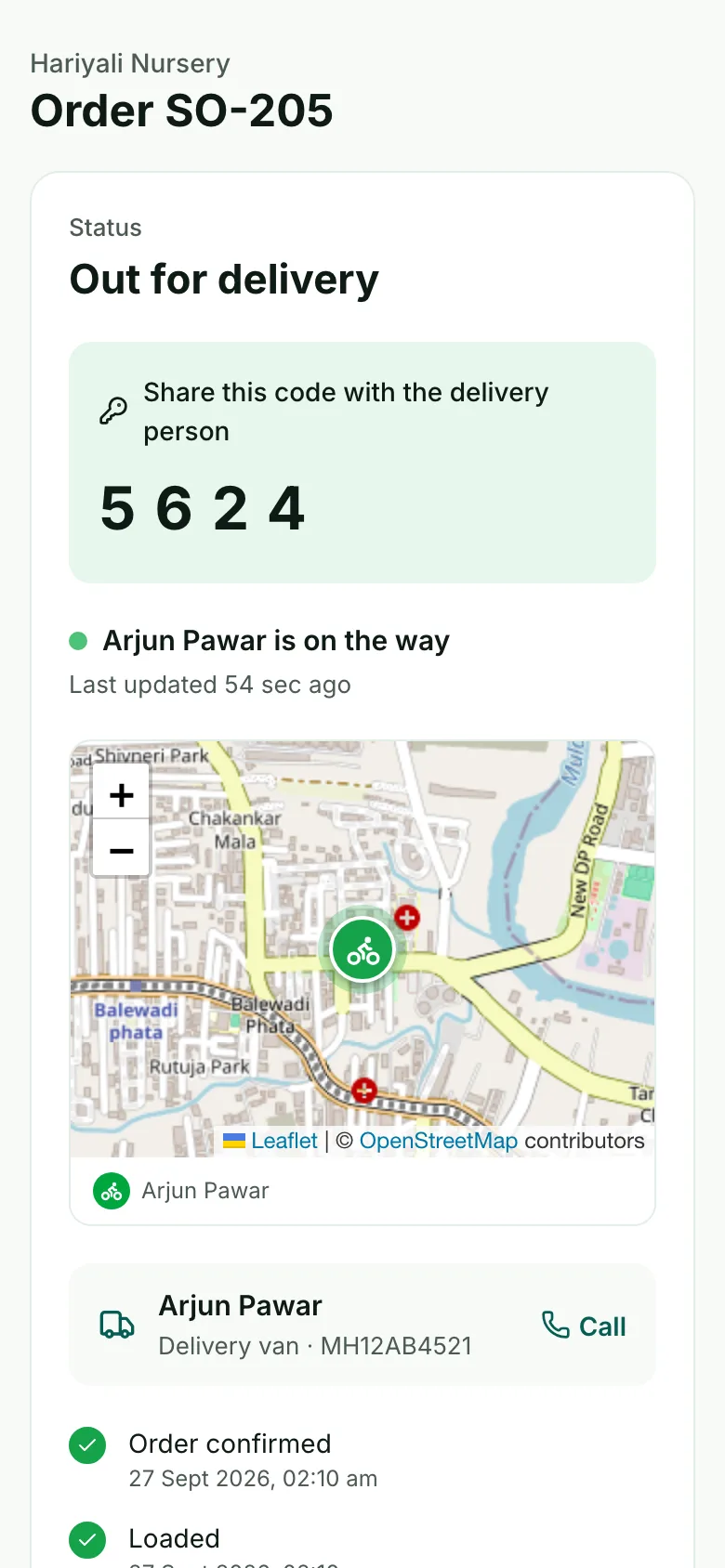
A page to track their order
What you get
Your own link, like khatabhai.com/shop/your-shop, with a proper preview when shared on WhatsApp
A WhatsApp alert for every new order, with Accept and Reject buttons
Every order as a Sales Order. Accept it, then create the Invoice.
Coupons on your terms: percent or flat, minimum order, usage limits
13 designs for plants, wholesale, retail and fashion, with a live preview
Your own domain, and the store in English, Hindi, Gujarati, Marathi, Punjabi or Assamese
A minimum order, and a switch for days you're closed
Stock shown as In stock or Few left, never exact counts
No online payment at checkout: customers pay you directly. Online Store comes with the Enterprise plan.
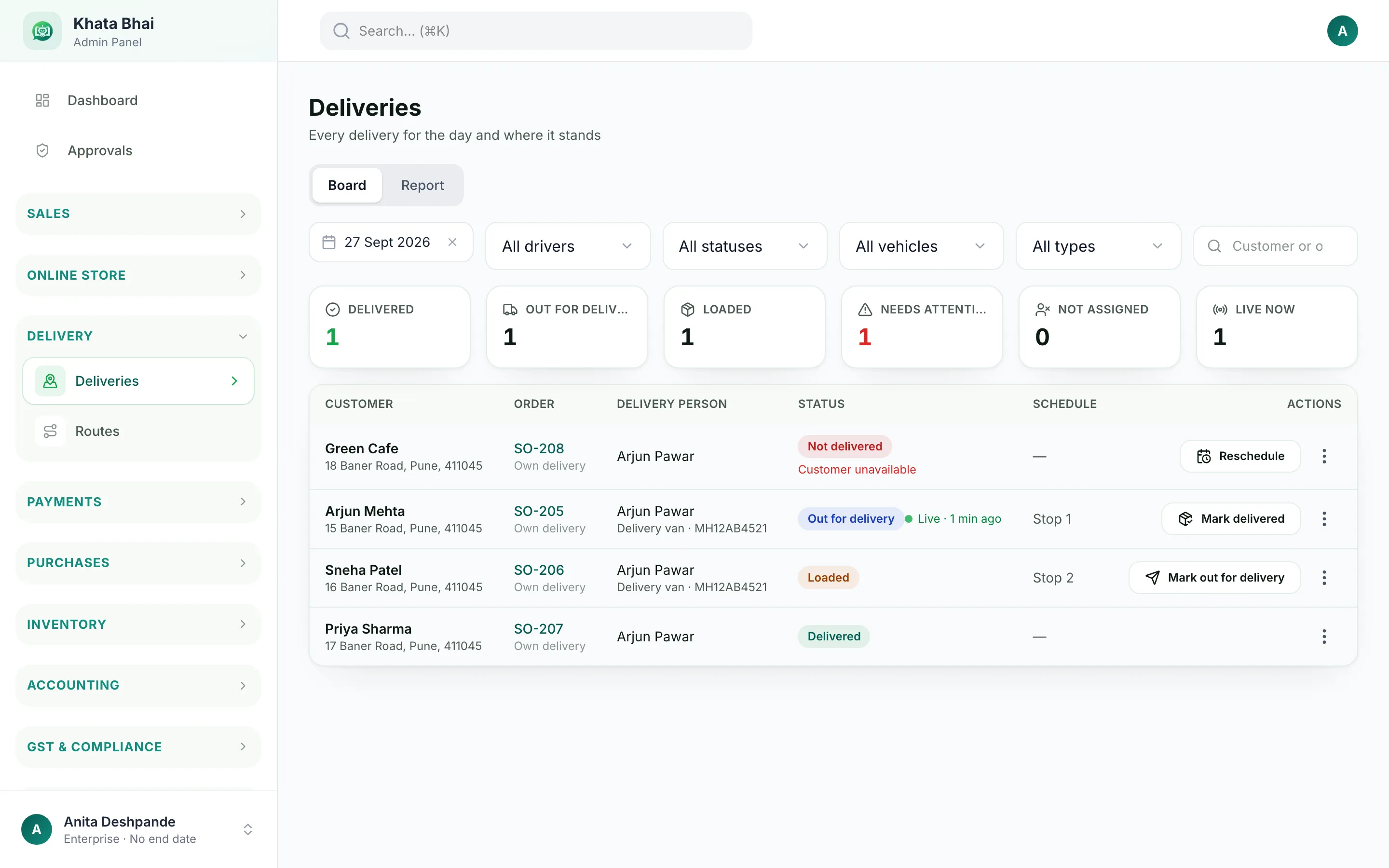
Set up delivery once by answering five questions. After that every order knows its charge, its slot and its driver, and your customer knows where it is.
1
How do customers get their order?
Your own drivers, a local delivery partner, a courier or pickup from your shop.
2
Where do you deliver?
Pick areas by pincode, locality or distance, or draw them on a map.
3
What do you charge?
Free, a flat fee, or by distance or weight.
4
When do you deliver?
Offer time slots at checkout.
5
How do customers follow it?
A tracking link, and updates on WhatsApp.
khatabhai.com/admin/deliveries
What your customer sees, and what your driver does
Assign a driver from the order in one tap
The driver opens today's stops on their phone
Live location while the driver shares it, and the last update when they don't
Finished with a delivery code, a photo or a signature
For courier orders, save the tracking number and share the link
One app. The right work for every person.
Everyone uses the same KhataBhai app. Each person opens it to their own work, and can only do what their role allows.
Owner
Opens to Business overview
Today's sales, orders, deliveries, stock and staff, and what needs attention.
Manager
Opens to Today
Approvals, deliveries that need help and staff issues.
Salesman
Opens to Today's route
Shops to visit, orders to take and payments to collect.
Delivery
Opens to Today's deliveries
The next stop, directions, and the delivery code to finish it.
Warehouse
Opens to Today's tasks
Orders to load, stock to move and low stock.
Cashier
Opens to Billing
New invoice, held invoices and today's sales.
Accountant
Opens to Accounts
Money to collect and pay, bank matching and GSTR-2B.
Purchase
Opens to Purchases
Purchase orders to send and goods to receive.
Roles decide the screen. Create your own roles too, like store keeper or purchase.
Permissions decide what's allowed. Hide amounts, block voids, or require your approval.
Assignments decide what they see. Drivers see their trips, salesmen their route, branch staff their branch.
Attendance and staff pay are there when you need them: check-in on WhatsApp on every plan, and fingerprint or app check-in on Enterprise.
Your business already lives on WhatsApp. KhataBhai works with it.
Message KhataBhai the way you'd message a staff member, in English, Hindi or Hinglish. Type it, say it in a voice note or send a photo of a bill.
Gupta Traders ko 20 bag cement ka bill banao
Creates the invoice and sends the PDF
Cement ka stock kitna hai?
Checks stock in every warehouse
Sharma Hardware ka balance?
Shows what the customer owes
Ramesh se 5000 UPI mila
Records the payment against his invoices
Order: 10 box tiles for Patel Sons
Creates a Sales Order
Sab overdue customers ko reminder bhejo
Sends payment reminders
Aaj kitni sale hui?
Answers from your reports
Customers get their order and delivery updates on WhatsApp too. Monthly WhatsApp AI, voice and photo limits depend on your plan.
9:41
Khata Bhai Digital Solutions
Online
Today
Messages are end-to-end encrypted
Namaste! KhataBhai here 🤝 Bulk order ka bill banana ho ya party ko reminder, WhatsApp par ek message, kaam khatam.
now
A scripted preview. Tap to try it; nothing is sent.
Start with what you need today.
No setup project and nothing to install. Turn on the next part in Settings when your business needs it, and everything you already entered carries over.
1
Start with Billing
Invoices and payments from day one
2
Then Customers
Dues, history and reminders
3
Then Inventory
Stock that updates itself
4
Then Online Store
Your catalog as a store link
5
Then Delivery
Drivers, routes and tracking
6
Then Staff
Roles, attendance and pay
7
Then WhatsApp
Do the everyday work by message
Four businesses, one KhataBhai.
The same platform underneath, following how each business actually works.
1
Add plants with photos, pot sizes and prices
2
Customers browse your store link and order
3
You get a WhatsApp alert and accept the order
4
Assign a driver, who gets the order on their phone
5
The customer follows the delivery live
6
Delivered with a code, invoice and payment recorded
1
Buy stock from suppliers against purchase orders
2
Your salesman opens today's route and visits shops
3
He takes the order at the shop
4
The warehouse loads the van
5
Goods delivered and invoiced
6
Payment collected and settled at the end of the day
7
Every shop's dues update on their own
1
A customer buys
2
Create the invoice
3
Stock goes down
4
Payment recorded, cash, UPI or on credit
5
Their history updates
6
Next time, they order from your store link
1
A customer asks for a price
2
Send a quotation on WhatsApp
3
Turn it into an invoice when the work is agreed
4
Record the payment, full or in parts
5
Reminders follow up on what's still due
Start free. Pay when you need more.
Every plan runs the whole business. Paid plans add higher WhatsApp limits, your own WhatsApp number and the Online Store.
Free
For getting started
Billing, customers, stock, purchases, staff and accounts. Small monthly WhatsApp AI limits. Doesn't expire.
Basic
For daily whatsapp use
Everything in Free with higher monthly limits for WhatsApp messages, voice notes and bill photos.
Pro
For talking to your customers
Your own WhatsApp business number, broadcasts to customers and higher limits.
Enterprise
For selling online
Online Store with your own domain, fingerprint and app attendance, and the highest limits.
Software to run your business: sales, customers, stock, purchases, your online store, delivery, staff and accounts. You use it on the web, in the KhataBhai app and on WhatsApp, and all three share the same records.
Who is it for?
Business owners: distributors, wholesalers, retailers, nurseries, fashion, hardware and electrical, electronics and service businesses. It works for one person, and for a business with many staff.
Can I use WhatsApp?
Yes. Message KhataBhai to create invoices, check stock, look up a customer, record payments, take orders, send reminders and ask for reports, in English, Hindi or Hinglish. Voice notes and photos work too. On Pro you can use your own WhatsApp business number.
Can I sell online?
Yes. The Online Store turns your items into a store link you can share. Orders reach you as Sales Orders to accept and invoice. Customers pay you directly; there's no online payment at checkout. Online Store comes with the Enterprise plan.
Can customers order online?
Yes. They pick items, sizes and add-ons, confirm their number with a code on WhatsApp, choose delivery or pickup and get a link to track the order.
Can I manage delivery?
Yes. Set where you deliver and what you charge, offer time slots, assign drivers and share a live tracking link. Drivers finish a delivery with a code, a photo or a signature. For courier orders, save the tracking number and share the link.
Can my staff use the app?
Yes. Add staff by phone number. They sign in with a code sent on WhatsApp and only see what their role allows.
Can different staff see different screens?
Yes. Everyone uses the same app, but each role opens to its own work: a driver sees today's deliveries, a salesman sees today's route, a cashier sees billing and an accountant sees accounts.
Can I manage inventory?
Yes. Stock updates with every sale, purchase and return. You get low stock alerts, sizes and colours as choices, batches with expiry, serial numbers, and stock across warehouses.
Can I manage wholesale?
Yes. Quotations, Sales Orders, Delivery Challans, price tiers, credit limits, salesman routes, van stock and end-of-day cash settlement are all built in.
Can I use my own domain?
Yes. On the Online Store you can connect your own web address, like shop.yourbusiness.com, alongside your KhataBhai store link.
What if I already have items and customers?
Import items, customers and suppliers from an Excel or CSV file. Opening balances can be added too, so you start with what's already owed.
What plans are available?
Free, Basic, Pro and Enterprise. Every plan runs the whole business; paid plans add higher WhatsApp limits, your own WhatsApp number and the Online Store. See the pricing page for prices.
How do I get started?
Tap Start free and say hi to KhataBhai on WhatsApp, or sign up on the web with your phone number. Add a few items and customers, create your first invoice, and turn on the rest when you need it.
How does the free trial work?
There's no trial clock. The Free plan doesn't expire, so you can set up and use KhataBhai at your own pace, and upgrade only when you need more.
Ready to run your business with KhataBhai?
Start on the Free plan. It doesn't expire, and you can add the rest of the business when you're ready.